
One of the most exciting things about AI prototyping and vibe coding is that, for the first time, designers can use the same tools, techniques, libraries, and frameworks as developers—and design in the exact environment where our products live: the browser.
This means we can skip the middle stage of our traditional workflow:
No more mimicking interaction in limited tools like Figma.
No more handing files to developers and hoping they can reproduce the intended animation, interaction, or 3D effect in code.
No more lost in translation moments, wasted time, or duplicated work.
Now, we can design directly in code and hand over production-ready components, not just prototypes.
Why This Matters for Designers
Tools like v0, Lovable, Bolt, and similar AI prototyping platforms bridge the gap between design and development. They let you work with actual JavaScript libraries, React components, and CSS animations—meaning what you design can run in production with minimal changes.
Take Figma, for example. It’s brilliant for layout and collaboration but limited when it comes to advanced animation, 3D effects, or complex interaction states. If you want something beyond basic transitions, you need to recreate it in code. That’s where AI prototyping tools come in—letting you design with real libraries in real environments.
The Example: Swipeable Flashcards with Framer Motion
In the tutorial that inspired this article, I show how to integrate a third-party animation library—Framer Motion—into an AI prototyping workflow.
Framer Motion (originally open source, developed by Framer) is a go-to library for creating fluid, modern animations in React. While Framer is now monetising it, the library remains open source, and you can still find free open-source documentation.
Here’s what I built:
A stack of swipeable flashcards in the centre of the page.
Each card displays a random German word and its English translation.
Swiping left changes the background to pastel red.
Swiping right changes it to pastel green.
This can be a standalone component or part of a bigger prototype. The key point is full control over the animation.
The Prompt Strategy
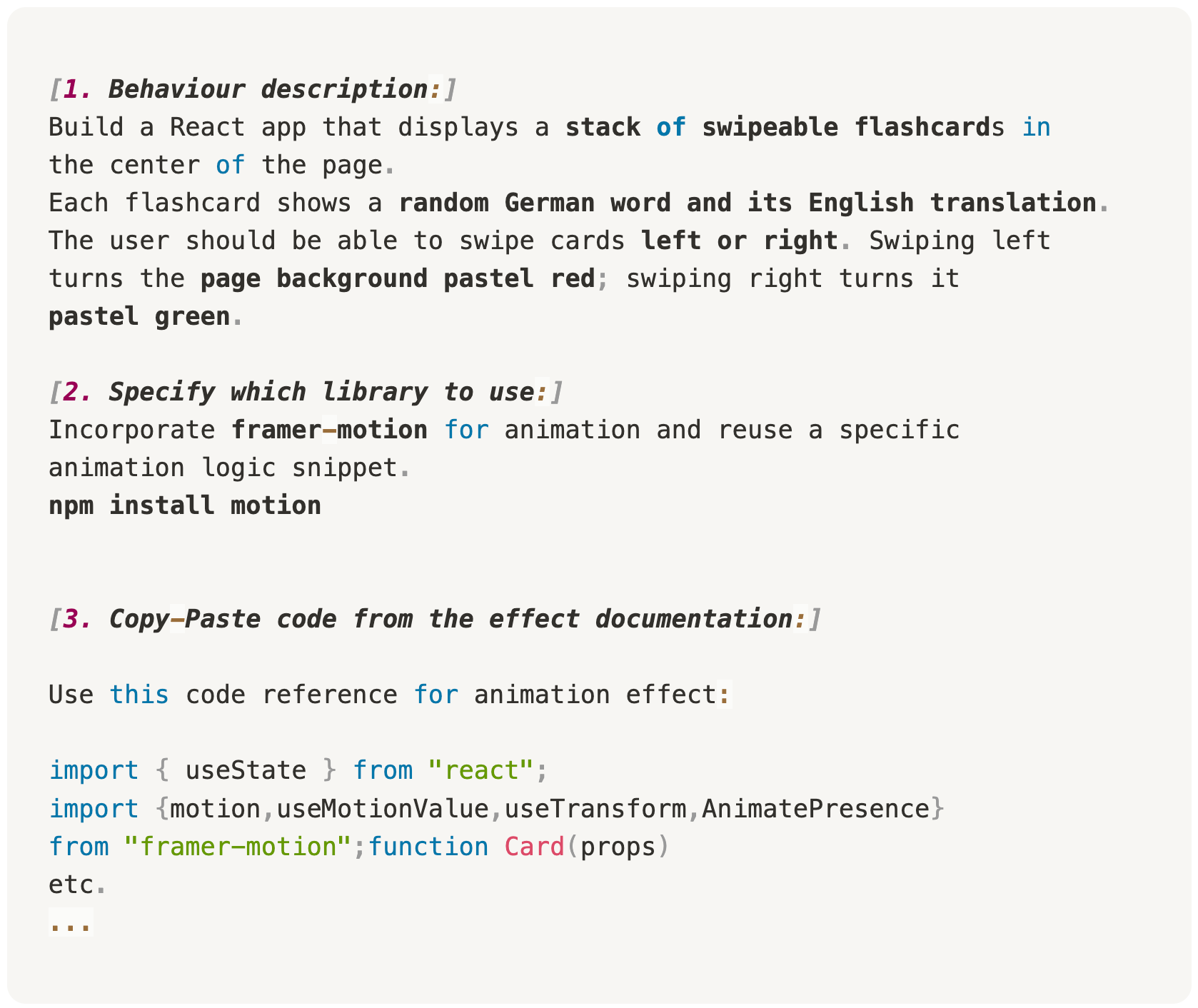
Here’s how I set it up in v0 (but the same approach works in Lovable, Bolt, and others):
Describe the component clearly
Layout (stack of cards, centred)
Data (random German words + English translations, hardcoded for now)
Interaction (swipe left/right)
Visual effects (background colour change on swipe)
Specify the library
Include Framer Motion in the prompt.
Add the exact
NPM installcommand so v0 knows which package to pull.
Add reference code
I found a similar stack animation example in the Framer Motion docs.
I opened it in CodeSandbox, copied the code file by file, and pasted it into my prompt.
v0 automatically detected file boundaries and integrated them into the generated app.
Why Include Real Code in the Prompt?
AI prototyping tools are great at understanding natural language, but animations are often about nuance—specific easing curves, timings, or interaction details. Providing actual example code gives the AI a much better starting point and often results in pixel-perfect reproduction.
Expanding Beyond Animation
Framer Motion is just one option. You can integrate almost any React-compatible library, such as:
Framer Motion for component animations
React Three Fiber — for interactive 3D elements in the browser.
React Flow — for building interactive diagrams, mind maps, or flow charts.
GSAP — for highly customisable timeline-based animations.
react-spring.dev
Lottie
The possibilities for designers are no longer limited to “what’s available in the prototyping tool.” If it’s on npm, you can use it.
From Prototype to Product
Once the component is generated, you can:
Embed it into an existing prototype.
Expand it into a full application.
Refine animations directly in the code (timing, easing, effects).
The beauty is that you’re now working in the same medium as developers. No handoff translation. No rebuilding. Just one continuous design-to-production flow.
Final thought: The more comfortable designers get with these tools, the more we can break free from static mockups. Designing directly in code isn’t about replacing design skills—it’s about expanding them. We can now deliver not just concepts, but living, breathing interfaces.
Have fun vibe coding.
If you like this, you might also enjoy my previous write-ups on:


